| Cost of Mount | approx. $100 to $300 |
|---|---|
| Time required | approx. 1 to 3 hours |
| Difficulty | Medium to High |
Important Tips for Window Installations
1. Preparation and Measurements
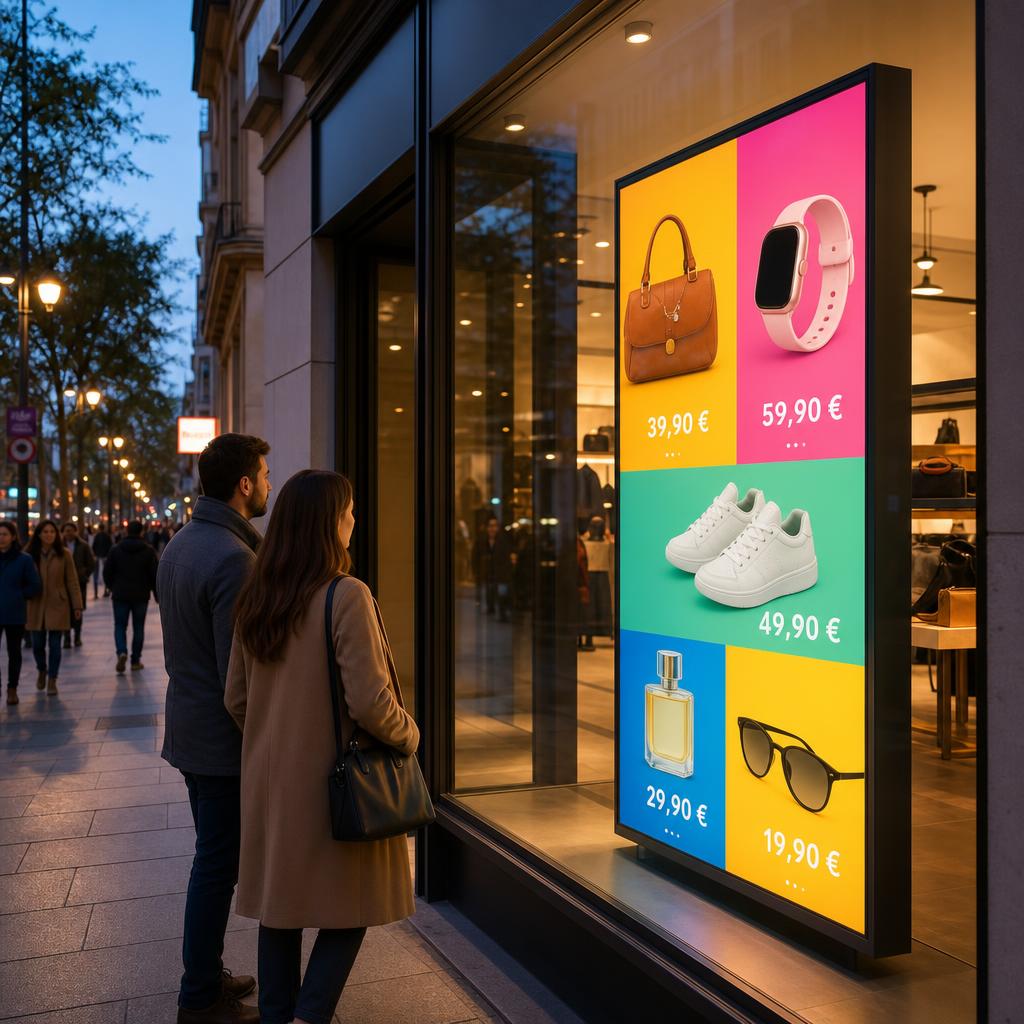
Start with a tape measure, not a shopping cart. Note the width and height of the window opening, the depth available behind the glass, and where the nearest power outlet sits. Also picture how the screen will look from the pavement – at what height and angle will passers-by actually see it? A quick sketch now stops you from ordering a screen or mount that doesn't fit the space.
2. Brightness: The Most Important Factor
A standard living room TV (usually around 300 cd/m²) is barely readable in bright daylight. For direct sunlight, you need a high-brightness display that provides between 700 and 2,500 cd/m². Without enough brightness, the reflection on the glass will simply overpower the image.
Heat and condensation: Enormous heat can build up behind a glass pane (the greenhouse effect). Leave a good gap between the screen and the glass and make sure air can circulate. In winter, keep an eye out for condensation forming on the devices.
3. Mounting Options
There are several elegant ways to mount a screen in a window:
- Ceiling suspension: Steel cables or rods from the ceiling create a floating, lightweight look.
- Floor stand: Ideal if you are not allowed to drill into the ceiling. Choose a heavy base plate for stability.
- VESA pole adapter: Attaches to existing columns or poles inside the shop.
We advise against suction-cup mounts unless you are using very small monitors or tablets.
4. Power Supply in the Window
Windows rarely have a socket exactly where you need one, so plan the power feed early. Route the cable to the nearest outlet along the stand or suspension line so it stays hidden, and use a socket that is protected from moisture near the glass. Avoid trailing extension leads across walkways, where they become a trip hazard and look untidy from the street.
5. Player Cabling and Alignment
Plug your media player into an HDMI port on the back of the screen and run the power and signal cables tightly along the stand or cable, up or down, so they stay invisible from outside. A simple Fire TV Stick setup is enough to open the dashboard and start the display. While you are at it, don't mount the screen rigidly facing straight ahead – adjust the height and tilt to the eye level of pedestrians on the pavement.
Portrait operation: Shop windows are often taller than they are wide, so a portrait layout can work beautifully. Screens can run vertically – just hang the screen in portrait orientation and switch the setting in the app so your content fills the display.
6. Maintenance and Cleaning
A window screen works around the clock, so it needs a little routine care. Wipe the display regularly to keep it legible through the glass, check that ventilation gaps stay clear of dust, and look out for condensation during cold spells. Catching heat build-up or moisture early keeps the screen bright and extends its life.
7. Theft Protection, Legal Matters, and Common Mistakes
Secure freestanding monitors with Kensington locks or bolted enclosures, and check whether an illuminated window display needs a permit for your building (for example under historical-preservation rules). The most common mistakes are choosing a screen that is too dim for direct sun, placing it too close to the glass so heat builds up, and leaving cables and power leads on show. Plan for brightness, ventilation, and tidy cabling from the start and your window will draw attention for all the right reasons.